AI-Powered Language Learning — iOS

Point.Tap.Learn.

Turn your iPhone camera into a multilingual vocabulary teacher. Point at any object in the real world — VisualVocab identifies it and teaches you its name in 11 languages, instantly.
24 FPS
Real-Time Detection
11
Languages
3
AI Engines
80+
Object Classes
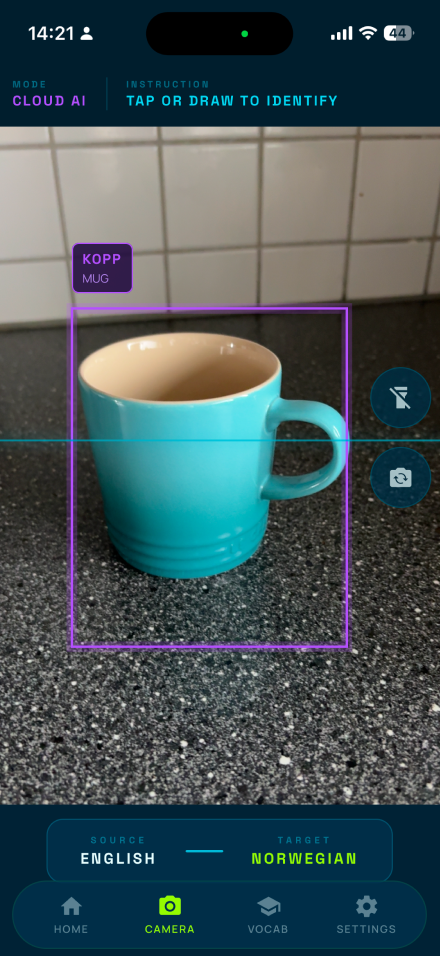
VisualVocab camera detection
LIVE DETECTION ACTIVE
Real-Time Object Detection
Tap to Identify
Draw to Identify
11 Languages
YOLO On-Device AI
Claude AI Precision
Apple Intelligence
Vocabulary Builder
60 FPS Rendering
Works Offline
Real-Time Object Detection
Tap to Identify
Draw to Identify
11 Languages
YOLO On-Device AI
Claude AI Precision
Apple Intelligence
Vocabulary Builder
60 FPS Rendering
Works Offline

Every View,
Pixel Perfect

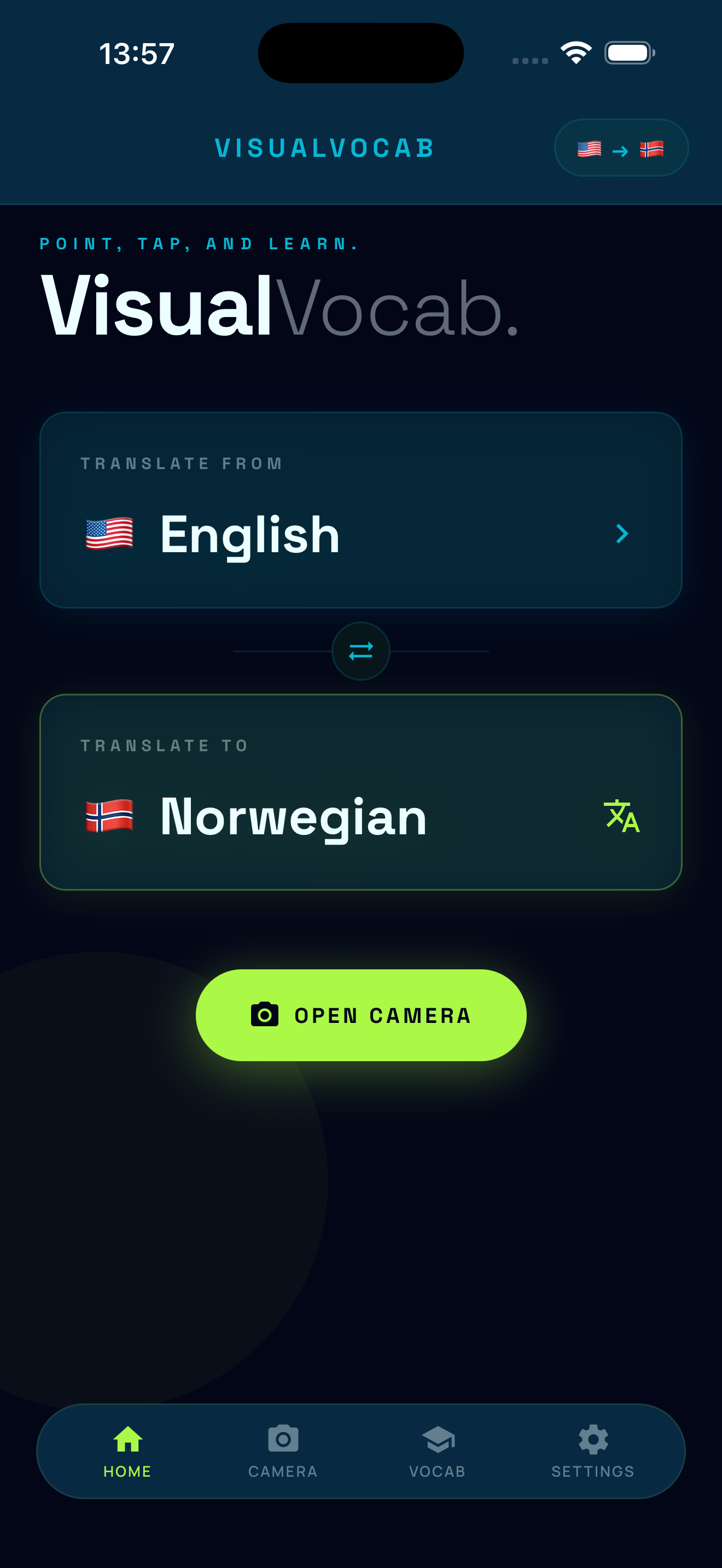
Home
Home
Camera · Detection
Camera · Detection
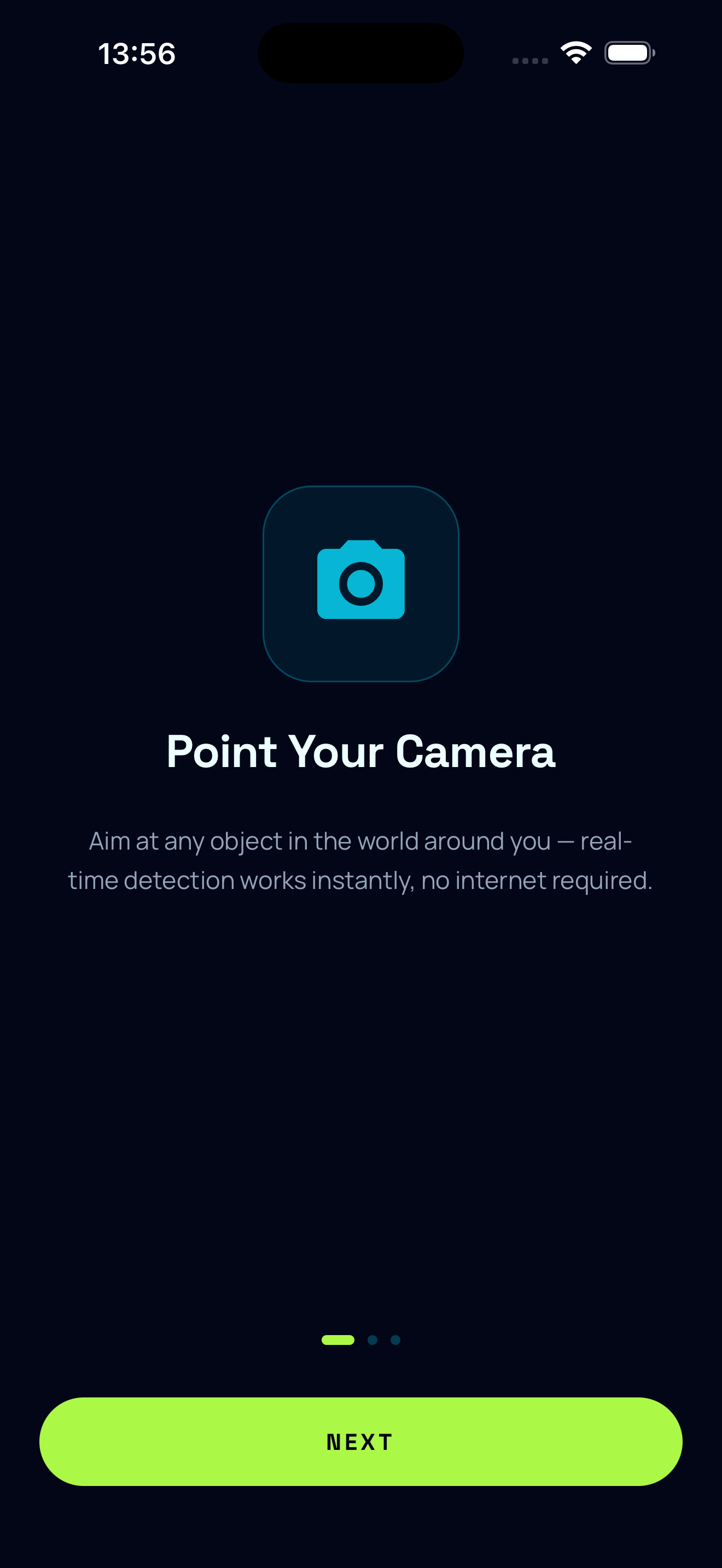
Onboarding · Point
Onboarding · Point
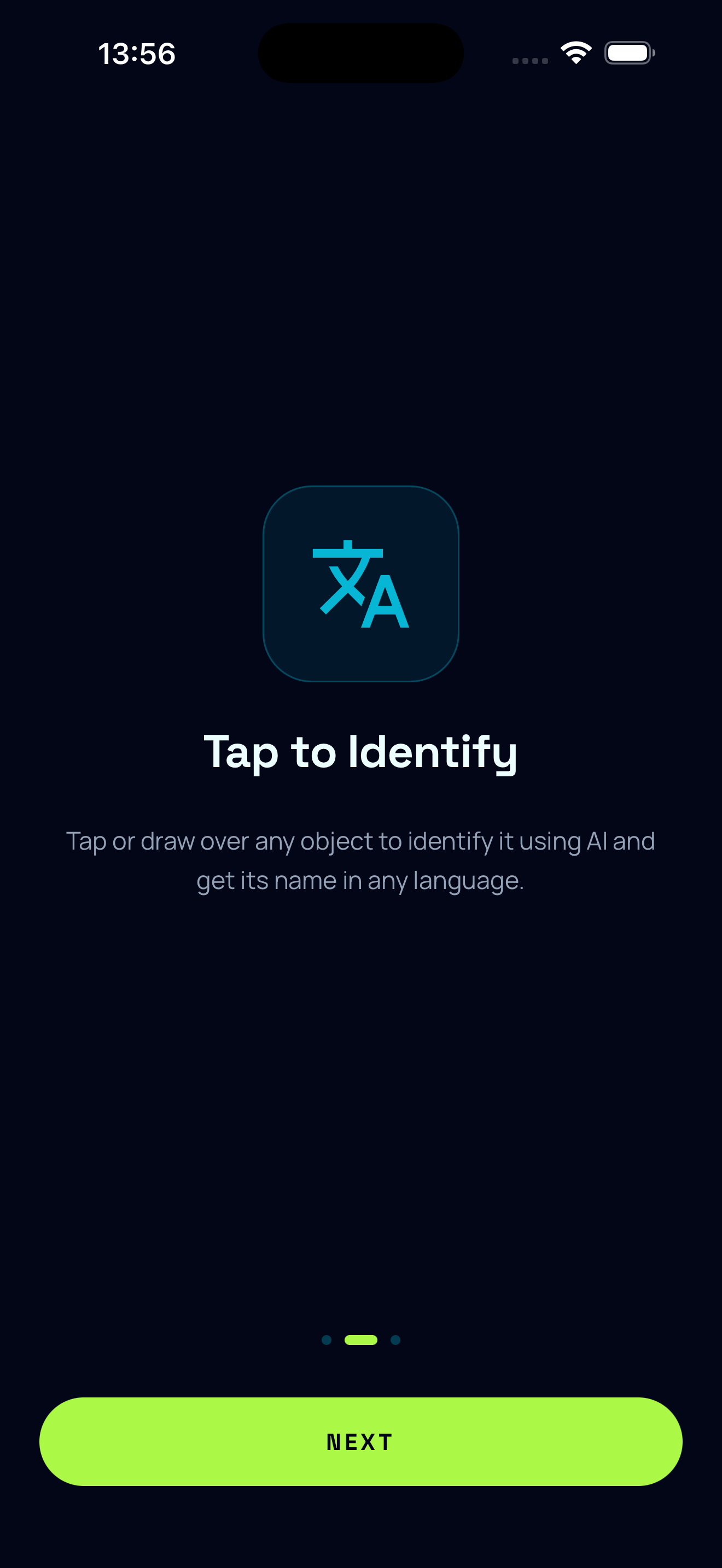
Onboarding · Tap
Onboarding · Tap
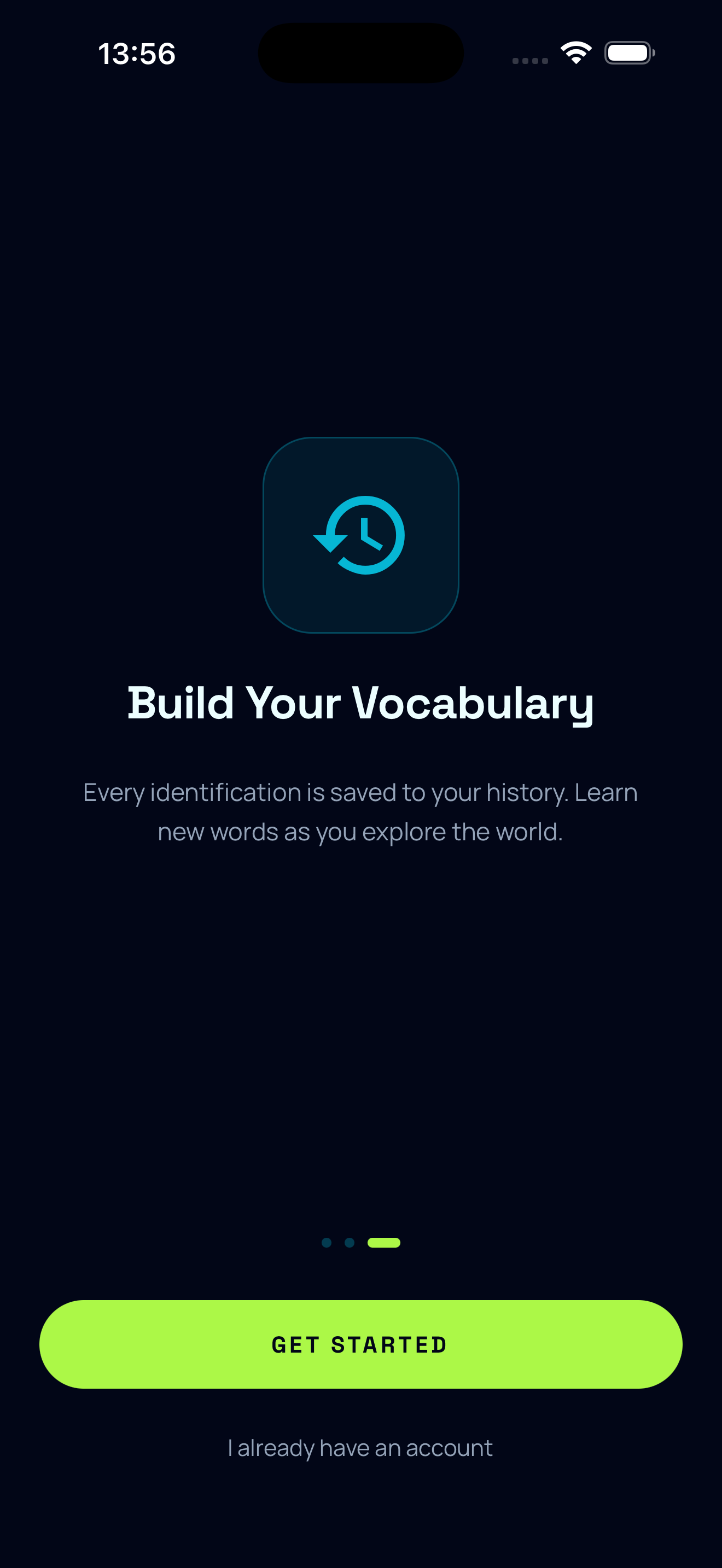
Onboarding · Vocab
Onboarding · Vocab
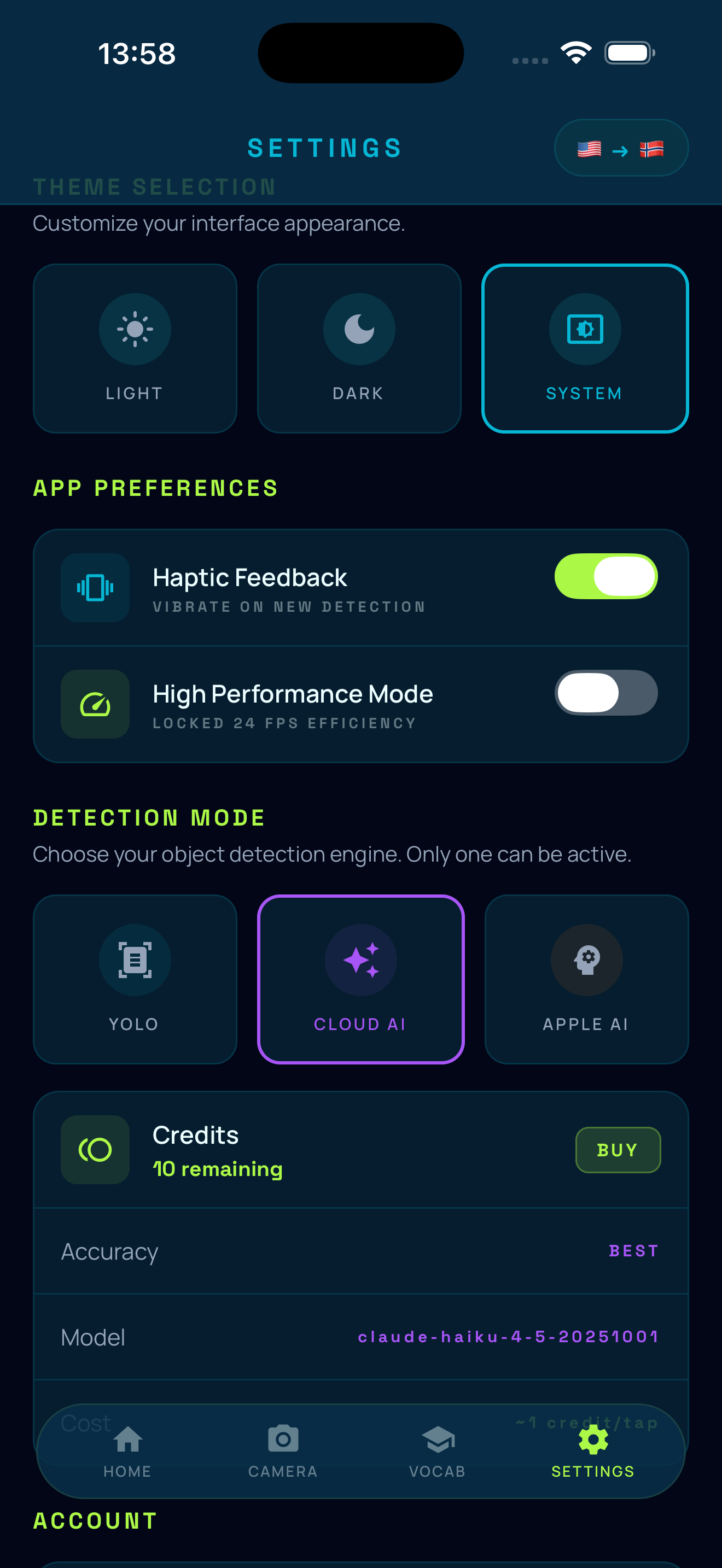
Settings
Settings
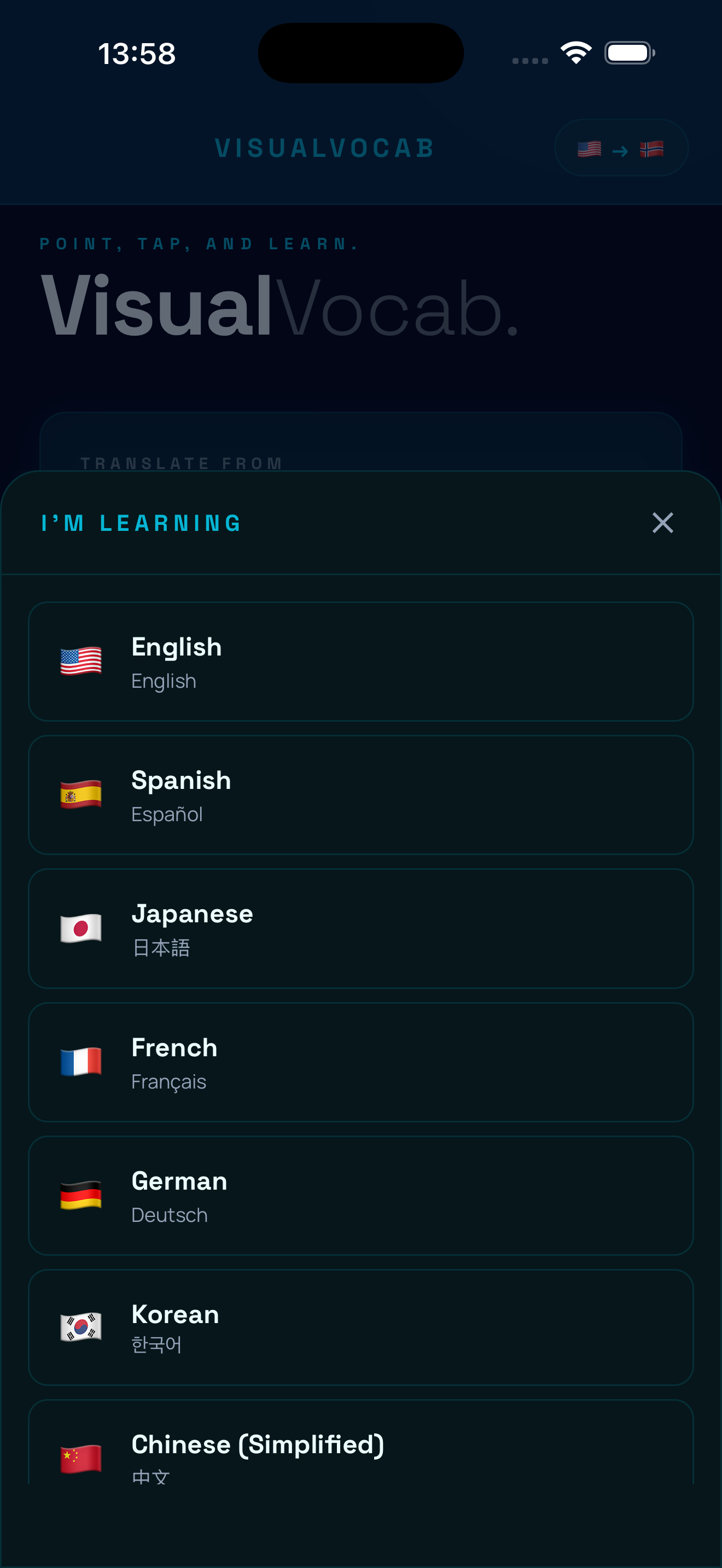
Language Picker
Language Picker
Home
Home
Camera · Detection
Camera · Detection
Onboarding · Point
Onboarding · Point
Onboarding · Tap
Onboarding · Tap
Onboarding · Vocab
Onboarding · Vocab
Settings
Settings
Language Picker
Language Picker

How It Works

01
Point Your Camera

Open the camera and let YOLO detect objects around you in real time at up to 24 FPS — no internet required. Bounding boxes appear instantly around everything in view.

On-Device · Zero Latency
02
Tap or Draw

See something interesting? Tap it for instant AI identification. Or drag to draw a precise region around any object — perfect for isolating one item in a crowded scene.

AI-Powered · 1–3s
03
Build Your Vocab

Every identified word is saved to your personal vocabulary, automatically translated into your target language. Track encounter counts, confidence scores, and watch your dictionary grow as you explore the world.

Cloud Synced · Growing

Your Camera,
Your Teacher

Three powerful ways to discover and learn vocabulary from the world around you. No flashcards. No memorization exercises. Just your camera and the world.

YOLO v26n · INT8 Quantized
Real-Time Object Detection

Your camera detects and labels objects at up to 24 FPS. A 3.25 MB model runs directly on your device, identifying up to 20 objects simultaneously from 80 COCO classes — bounding boxes appear instantly with labels translated in real time.

24
Frames Per Second
Taza · Cup
Libro · Book
Teléfono · Phone
Personal Dictionary
Vocabulary Builder

Every object you identify gets saved to your personal vocabulary, deduplicated and tracked. See encounter counts, confidence scores, and credits spent. Your vocabulary grows as you explore, synced to the cloud across all your devices.

Words to Discover
Precision Input
Draw to Identify

Drag a custom bounding box around exactly what you want. Perfect for isolating a specific item on a crowded table or a particular plant in a garden.

Multilingual
11 Languages

Spanish, Japanese, French, German, Korean, Chinese, Portuguese, Norwegian, Hindi, Russian — plus English. Swap source ↔ target with one tap.

Always Available
Offline Ready

YOLO and Apple AI modes require zero internet. All 80 object classes have hand-verified translations in every supported language, baked into the app.

Three AI
Modes

Choose the right mode for your needs. Switch instantly between on-device speed, cloud-powered precision, and Apple's private on-device intelligence.

YOLO Mode
On-Device · Real-Time · Free

YOLOv26n runs directly on your iPhone at 15–24 FPS, detecting up to 20 objects simultaneously from 80 trained classes. Zero network calls. Bounding boxes rendered at 60 FPS via Skia GPU canvas.

CostFree
Latency20–40ms
Classes80 COCO
InternetNone required
Claude AI
Cloud · Precision · Credits

Tap or draw on any object to send a cropped image to Anthropic's Claude Haiku 4.5 vision model. Recognizes brands, dishes, species, architectural styles — anything a world-class AI can see. Context-aware and highly accurate.

Cost~1 credit/tap
Latency1–3 seconds
ClassesUnlimited
New Account10 Free Credits
Apple AI
On-Device · iOS 26+ · Private

A two-stage pipeline entirely on your device. Apple Vision classifies the region, then Apple Foundation Models reasons over candidates and translates. No data ever leaves your phone.

CostFree
Latency1–2 seconds
Privacy100% On-Device
RequiresiOS 26+

Your World
in Every Language

🇺🇸
English
🇪🇸
Spanish
🇯🇵
Japanese
🇫🇷
French
🇩🇪
German
🇰🇷
Korean
🇨🇳
Chinese
🇧🇷
Portuguese
🇳🇴
Norwegian
🇮🇳
Hindi
🇷🇺
Russian
+
More Soon
11Languages

Choose any combination of source and target language. All 80 YOLO object classes have hand-verified translations in every supported language. Claude AI and Apple AI generate dynamic translations for any object — no class limits.

🇺🇸 English🇯🇵 Japanese

Swap source ↔ target with one tap

Start Free.
Go Further.

YOLO and Apple AI are always free — no account needed, no credits consumed. Credits unlock Claude AI's cloud-powered precision for identifying anything your camera can see.

On Signup
10
Free Credits
$0
To start
Get Started
YOLO mode — unlimited
Apple AI — unlimited
10 Claude AI identifications
Vocabulary cloud sync
Starter Pack
100
Credits
$1.99
≈ $0.02 per identification
Buy Credits
Explorer Pack
500
Credits
$7.99
≈ $0.016 per identification
Buy Credits
Power Pack
1,500
Credits
$19.99
≈ $0.013 per identification
Buy Credits

Built on
Serious Tech

visualvocab — tech stack
Frontend
React Native 0.81.5
Expo SDK 54
React 19
TypeScript 5.9
Zustand 5
Expo Router v6
ML / Vision
YOLOv26n INT8
TensorFlow Lite
Vision Camera v4
Apple Vision FW
Apple Foundation Models
Worklets Core
Graphics
Shopify Skia v2.2
Reanimated v4.1
60 FPS Skia Canvas
GPU-Accelerated
Backend
Supabase PostgreSQL
Supabase Edge Fns
Supabase Auth
Anthropic Claude API
Apple IAP Verify
Atomic SQL Txns

Questions

Everything you need to know about VisualVocab. Can't find an answer? Reach out via the app or our support page.

Credits are used for Cloud AI identifications. Each tap-to-identify uses approximately 1 credit. New accounts receive 10 free credits. You can purchase more credits directly in the app under Settings. On-device modes (YOLO and Apple AI) are completely free and don't use credits.
Cloud AI offers the best accuracy and can identify virtually any object. It requires an internet connection and uses credits. YOLO runs entirely on your device with zero latency and no internet — it's free but limited to 80 common object categories. Apple AI uses Apple Intelligence for on-device identification (requires iOS 26+) and is also free.
Yes! YOLO mode works completely offline with no internet connection required. Apple AI mode also works on-device. Cloud AI mode requires an internet connection since it processes images via cloud-based AI models.
Tap the language flags in the top-right corner of the Settings screen, or use the source/target language bar at the bottom of the Camera screen. You can choose from 11 supported languages, and swap source ↔ target with one tap.
Credit purchases are handled through Apple's App Store. To request a refund, visit reportaproblem.apple.com and follow Apple's refund process. If you're experiencing a technical issue that caused credits to be consumed incorrectly, contact us at support@visualvocab.app and we'll help resolve it.
To request account deletion, email us at support@visualvocab.app from the email associated with your account. We will delete your account and all associated data within 30 days.